ProductsApproveFlowHR Control
⚙️ Requires ApproveFlow Platform Engine

Expense Claims and Leave Requests — Approved the Right Way

Bring structured governance to HR workflows. Prevent expense validation and leave approval without proper sign-off.

Real-World Control

What happens without HR approval enforcement?

“An expense claim for €2,800 is submitted and validated by a manager in a different department. No policy check. No amount-based escalation. No audit trail. HR Control ensures the right people review every claim — automatically.”
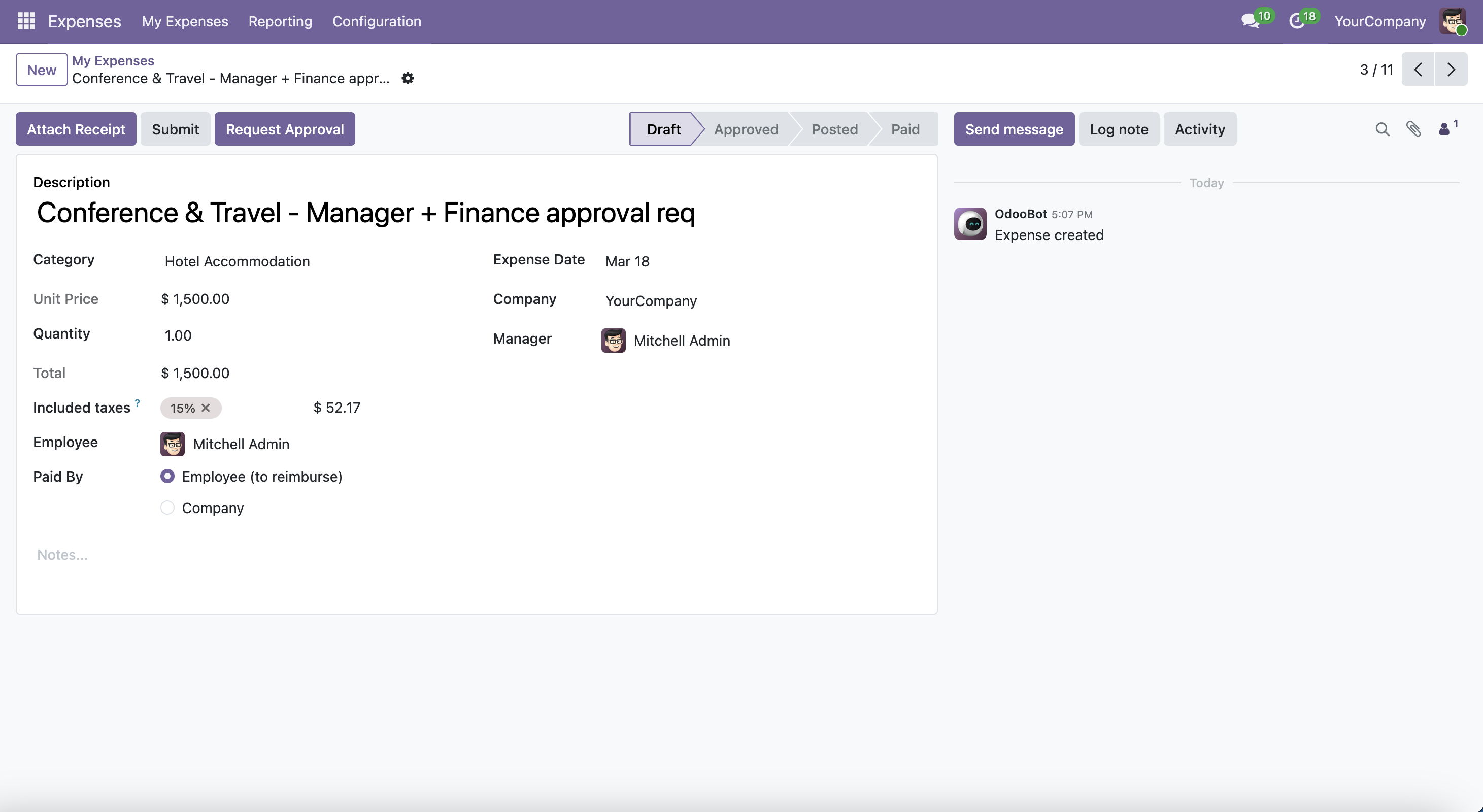
Draft expense with Request Approval button

Submit for approval on an expense claimWhen an expense exceeds the configured threshold, the workflow is triggered automatically on submission. The employee clicks Submit — the system routes it to the right approver based on amount and department.
Hard Enforcement

Validation is blocked — no exceptions

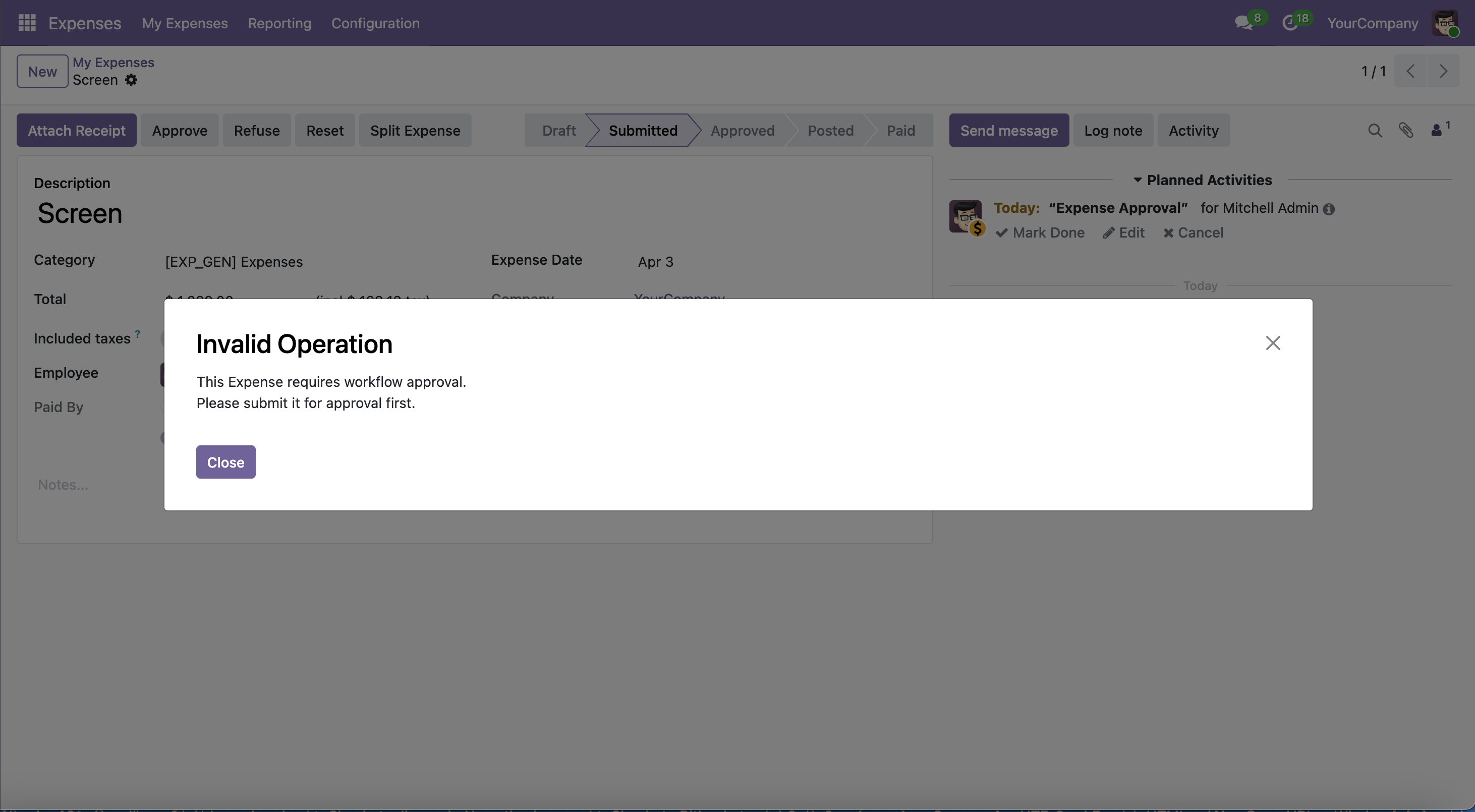
If a manager tries to approve an expense or leave that requires workflow approval without completing the process, Odoo raises an error. There is no bypass for regular users.

Invalid Operation dialog blocking expense or leave approval

Approval blocked — workflow required firstAttempting to validate an expense or approve a leave request that hasn't completed the workflow raises this error. The system enforces the policy with no workaround for regular users.

Expense Workflow

Full approval lifecycle on expense claims

1

Expense enters Waiting for Approval

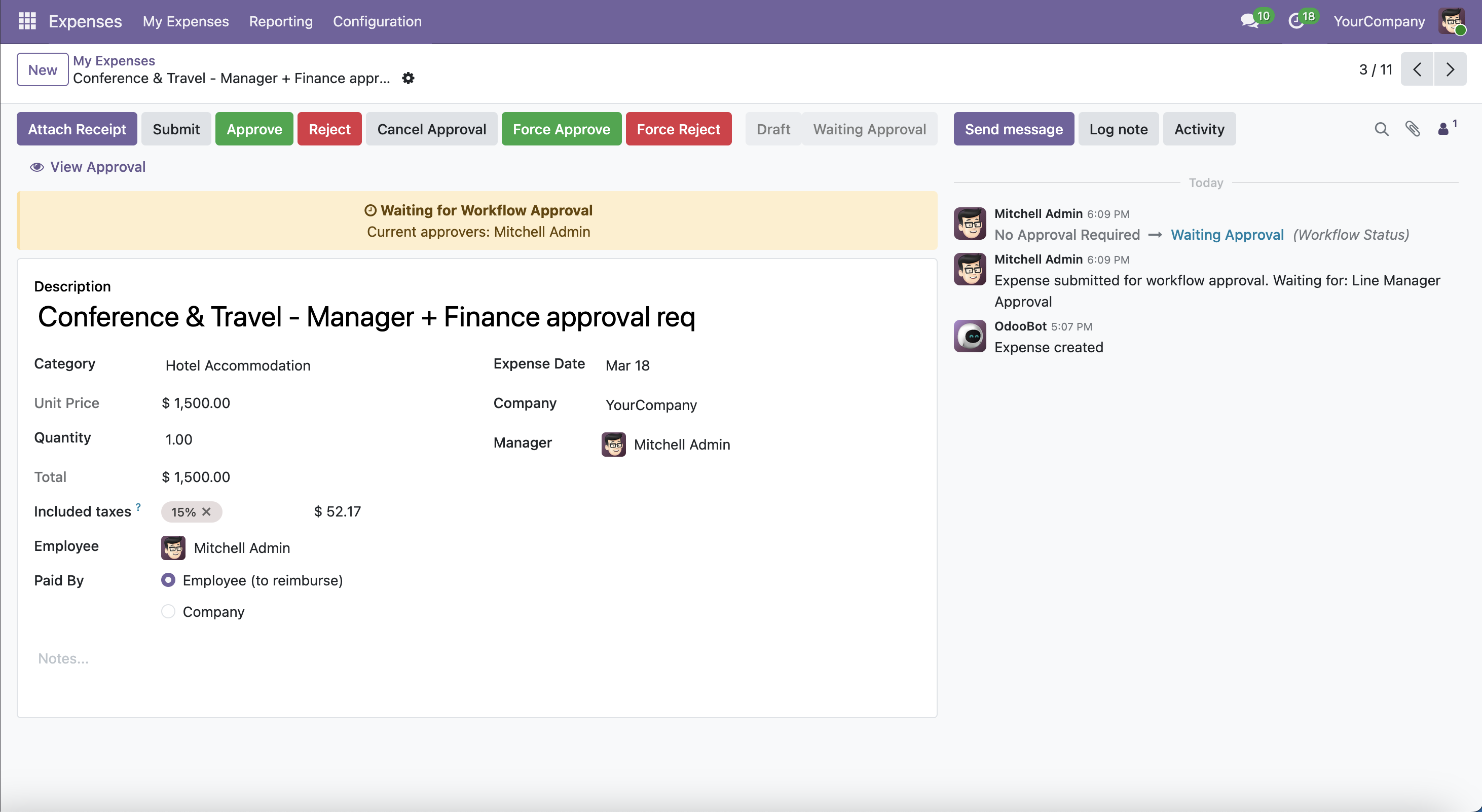
Expense in Waiting for Approval state

Waiting for Approval state — expenseAfter submission, the expense shows a yellow 'Waiting for Approval' banner with the current approver's name. Approve, Reject, and admin override buttons are visible. The chatter logs every state change with timestamps.

2

Approver reviews the request

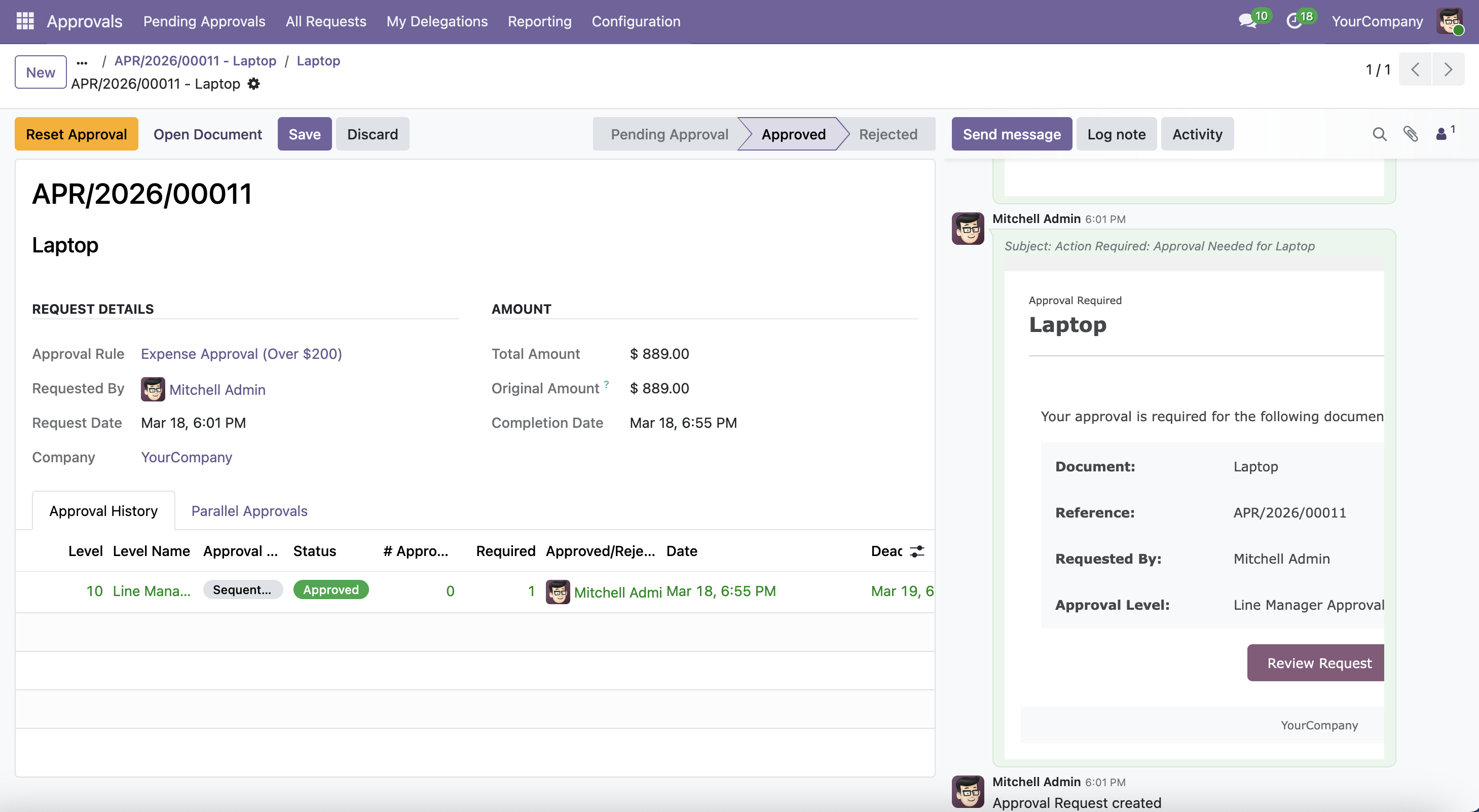
Approval request form for expense

Approval Request — expenseThe linked Approval Request shows the rule that triggered it, total expense amount, request date, and the Approval History table. An automatic email notification was sent to the approver at submission.

3

Approved or rejected — with full audit trail

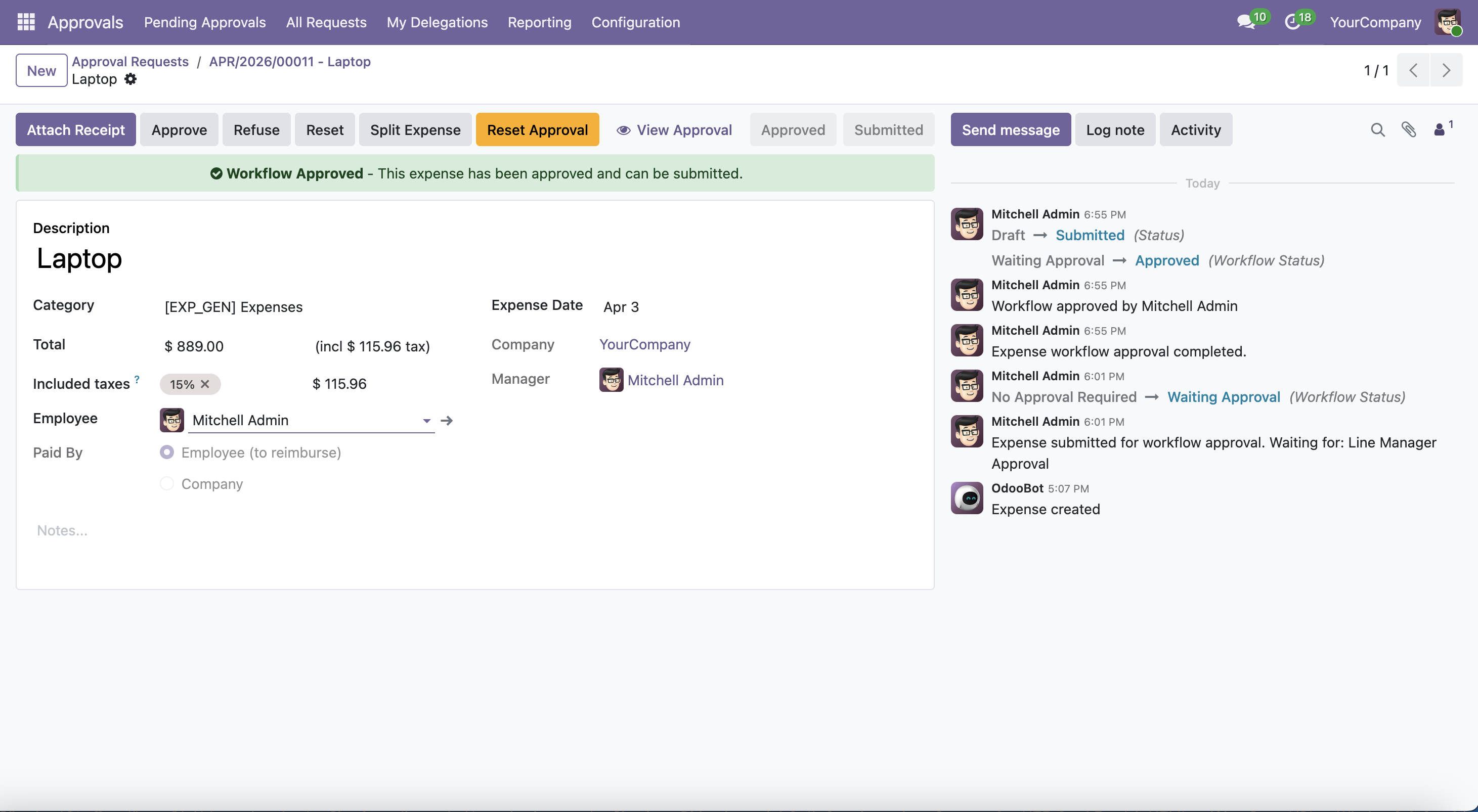
Expense approved with green banner

Expense approvedGreen 'Approved' banner confirms the expense passed all workflow levels and is ready for manager validation. Full audit trail in chatter.

Expense rejected with red banner

Expense rejected — resubmit pathRed 'Rejected' banner with reason. The employee can correct and resubmit without admin intervention.

Leave Workflow

Full approval lifecycle on leave requests

1

Leave request enters Waiting for Approval

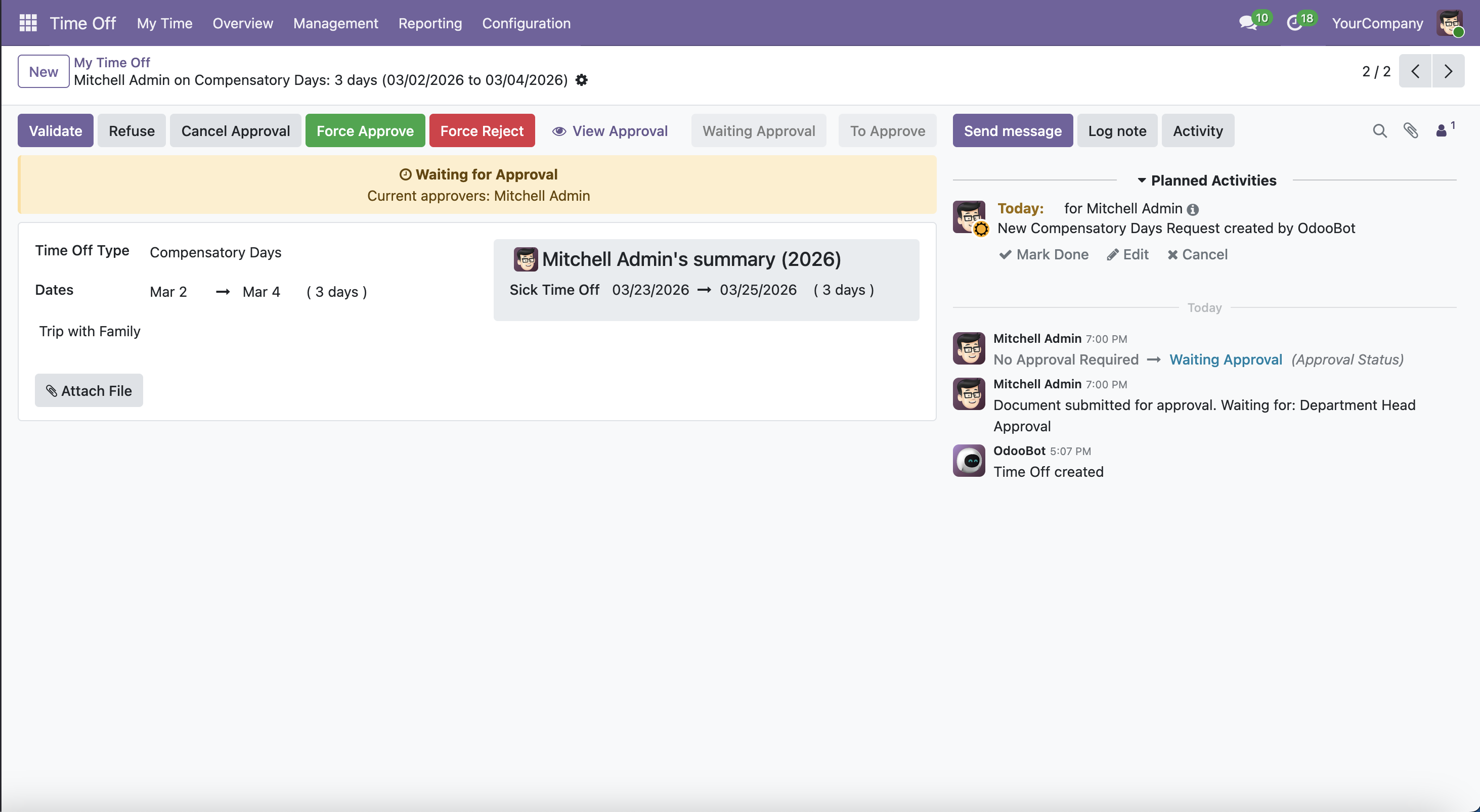
Leave request in Waiting for Approval state

Waiting for Approval state — leave requestAfter confirmation, the leave request shows a yellow 'Waiting for Approval' banner with the current approver. Approve, Reject, and admin override buttons are visible in the header.

2

Leave approved or rejected

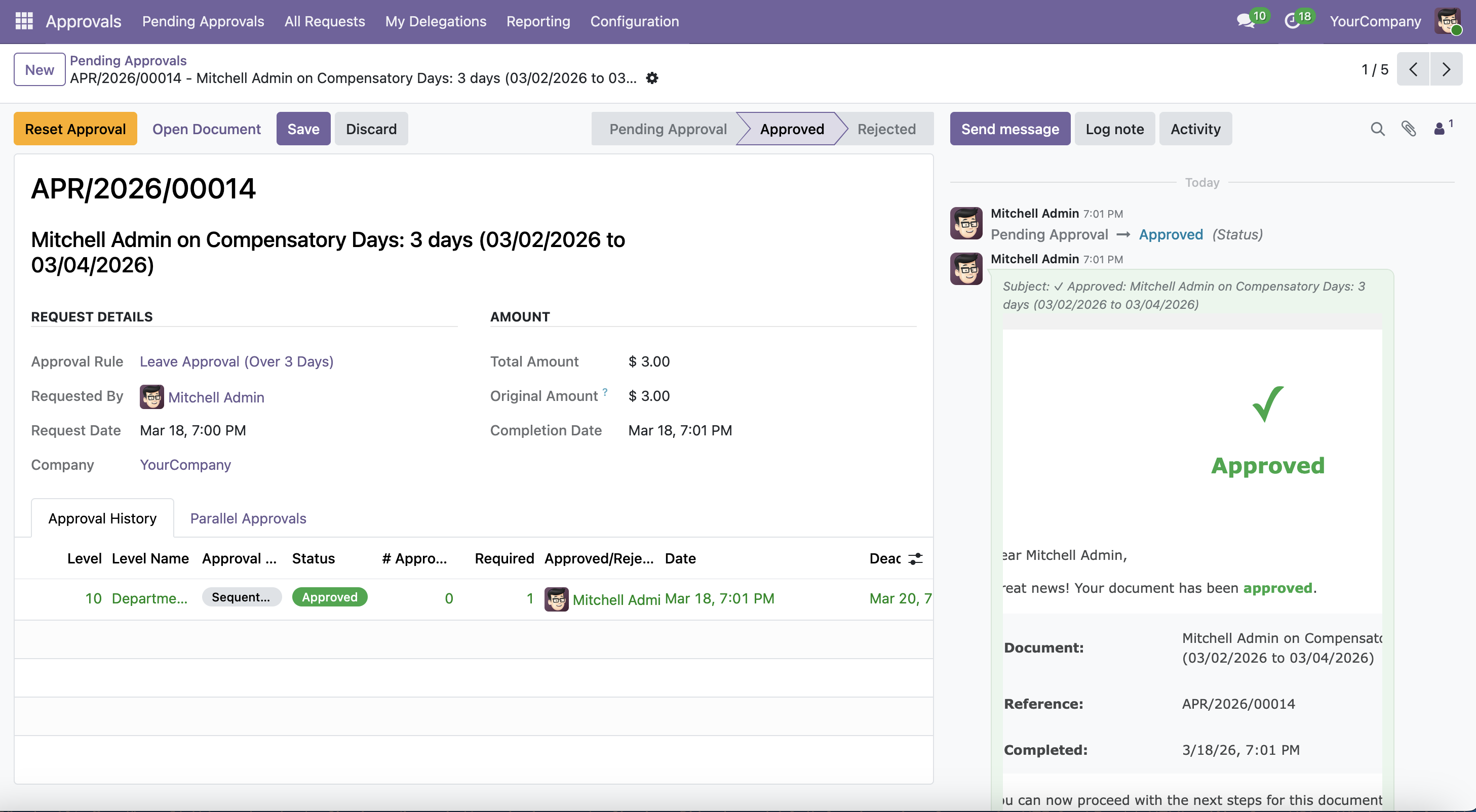
Leave request approved

Leave approvedOnce all workflow levels pass, the leave is validated automatically — no separate manual approval step needed.

Leave request rejected

Leave rejectedRejection reason stored on the request. Employee is notified by email and can resubmit after adjusting the request.

Configuration

Independent rules for expenses and leave — no code required

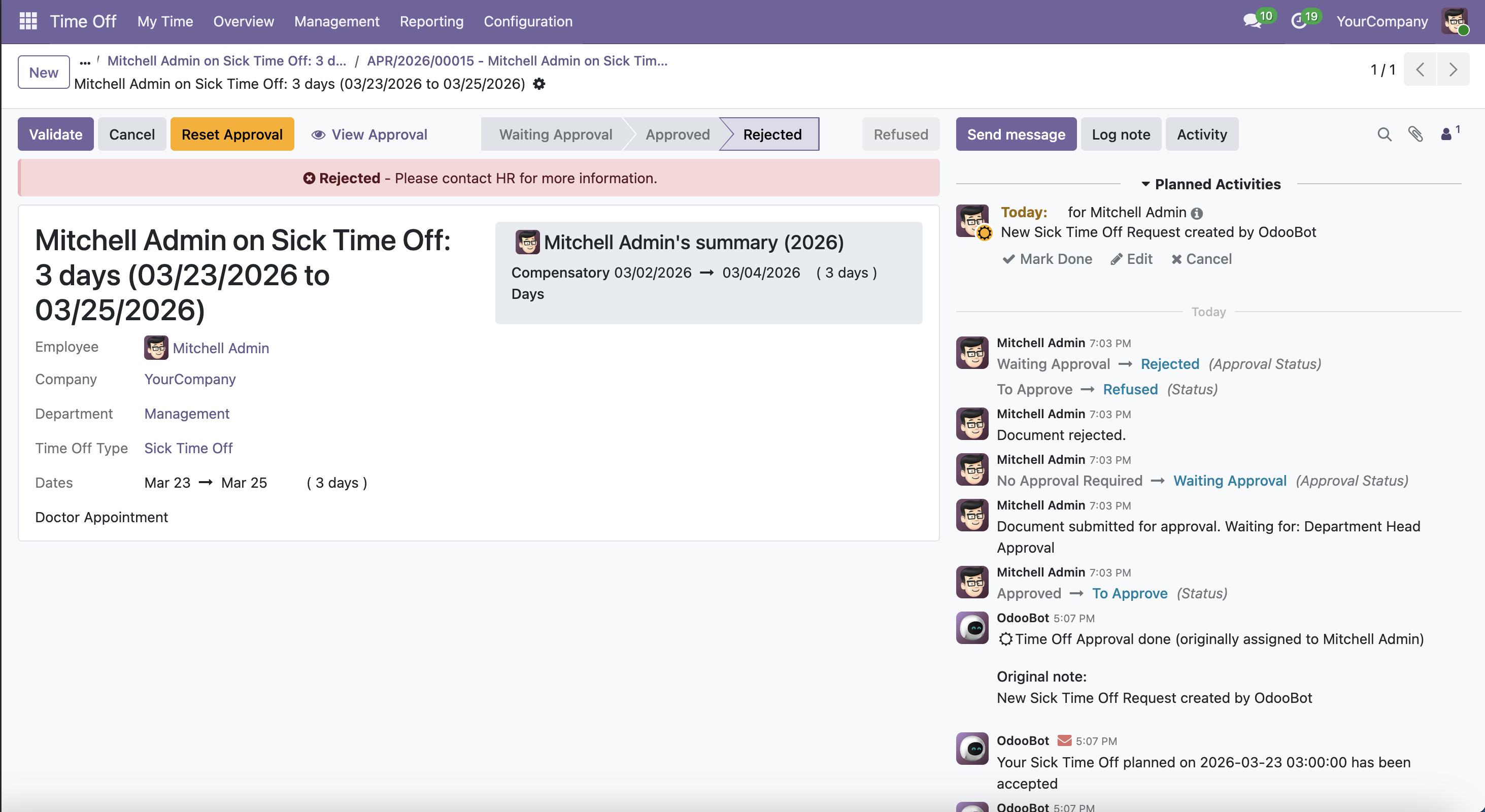
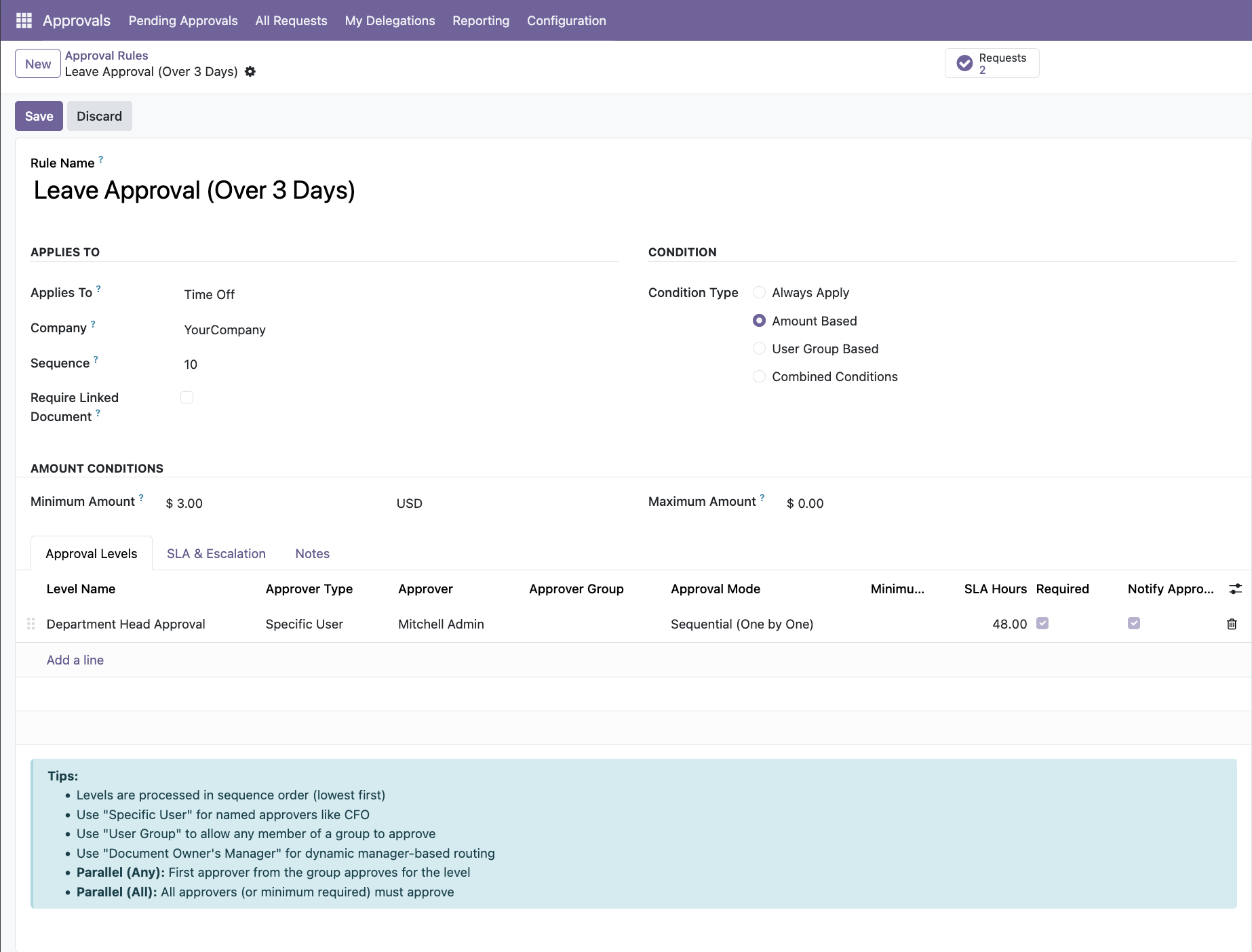
Configure separate approval chains for expense reports and leave requests. Set amount thresholds for expenses, leave-type conditions for leave, and assign different approvers per rule.

Approval rule configuration for HR documents

HR Approval Rule configurationRules can target Expense Reports or Leave Requests independently. Configure condition type (Amount Based or Always Apply), approval levels with SLA hours, and approver assignment per level.

Key Capabilities

What HR Control adds to ApproveFlow

🧾

Expense approval gate

Expense reports cannot be validated until the configured approval chain completes

🏖️

Leave request routing

Leave requests route through department-based chains based on leave type and duration

📈

Amount-based escalation

Larger expense claims automatically escalate to higher authority at configurable thresholds

🔄

Re-approval on changes

Significant amount changes while pending automatically restart the workflow

📧

Automatic notifications

Approvers receive instant emails with approve/reject links for fast processing

🛡️

Audit-ready activity history

Every approval decision logged with user, timestamp, and reason

Operational Impact

What changes after deployment

HR teams gain consistent, policy-compliant approval governance without adding manual overhead — every request follows the right path automatically.

Compatibility

Odoo 19Community EditionEnterprise Edition

⚙️ Requires ApproveFlow Platform Engine

This control pack runs on the ApproveFlow Platform Engine — the approval rule engine, SLA system, inbox management, and audit trail used by all control packs. The Platform Engine is available from €79 launch price.

Learn about the Platform Engine →

Pricing

Simple one-time pricing

ApproveFlow Platform Engine

€79launch / €99 regular

Approval framework — required for all control packs

HR Control Pack

€49launch / €69 regular

Expense and leave approval workflows with full audit trail

Deploy both together for €128 during launch

Buy on Odoo App Store →

Already have the Platform Engine?

Add the HR Control Pack for just €49 — no bundle required.

Get Pack Only →

Deployment Effort

Fast to install, nothing to build

Frequently Asked Questions

Does it work for both expense claims and leave requests?

Yes. HR Control covers both hr.expense (expense reports) and hr.leave (leave requests). Each document type has its own independent approval rules.

Can approval rules vary by leave type?

Yes. You can configure different approval chains for annual leave, sick leave, unpaid leave, or any custom leave type defined in your Odoo instance.

What happens if the approving manager is on leave?

The SLA timer triggers automatic escalation after the configured deadline. Managers can also pre-configure delegation periods before going on leave.

Is any data migration required?

No. The module integrates with standard Odoo HR data structures. Install, configure your rules, and it applies to new requests immediately.

You Might Also Need

Enforce HR approval discipline in Odoo today.

Stop unauthorized expense claims and unapproved leave before they happen.